
Bridging communication gaps
through immersive ASL learning
Role
UX Researcher
& VR Experience Designer
Duration
3/14/2024 - 4/20/2024
Tools
Unity, Figma, C#, Cursor, GitHub, Deepmotion,
Meta Quest
Team
Solo Project
Why did I start it?
My interest in this project began in high school, when I joined an ASL club and struggled to practice conversations without a partner. This limitation led me to question why people with disabilities are expected to adapt to non-disabled norms. It ultimately inspired me to design an experience that helps non-disabled users learn ASL from the perspective of the Deaf community.
Problem Statement
“ASL requires a partner to practice, what if no one is available?”
This limits consistent practice and creates barriers for learners who want to engage with sign language independently.
Solution
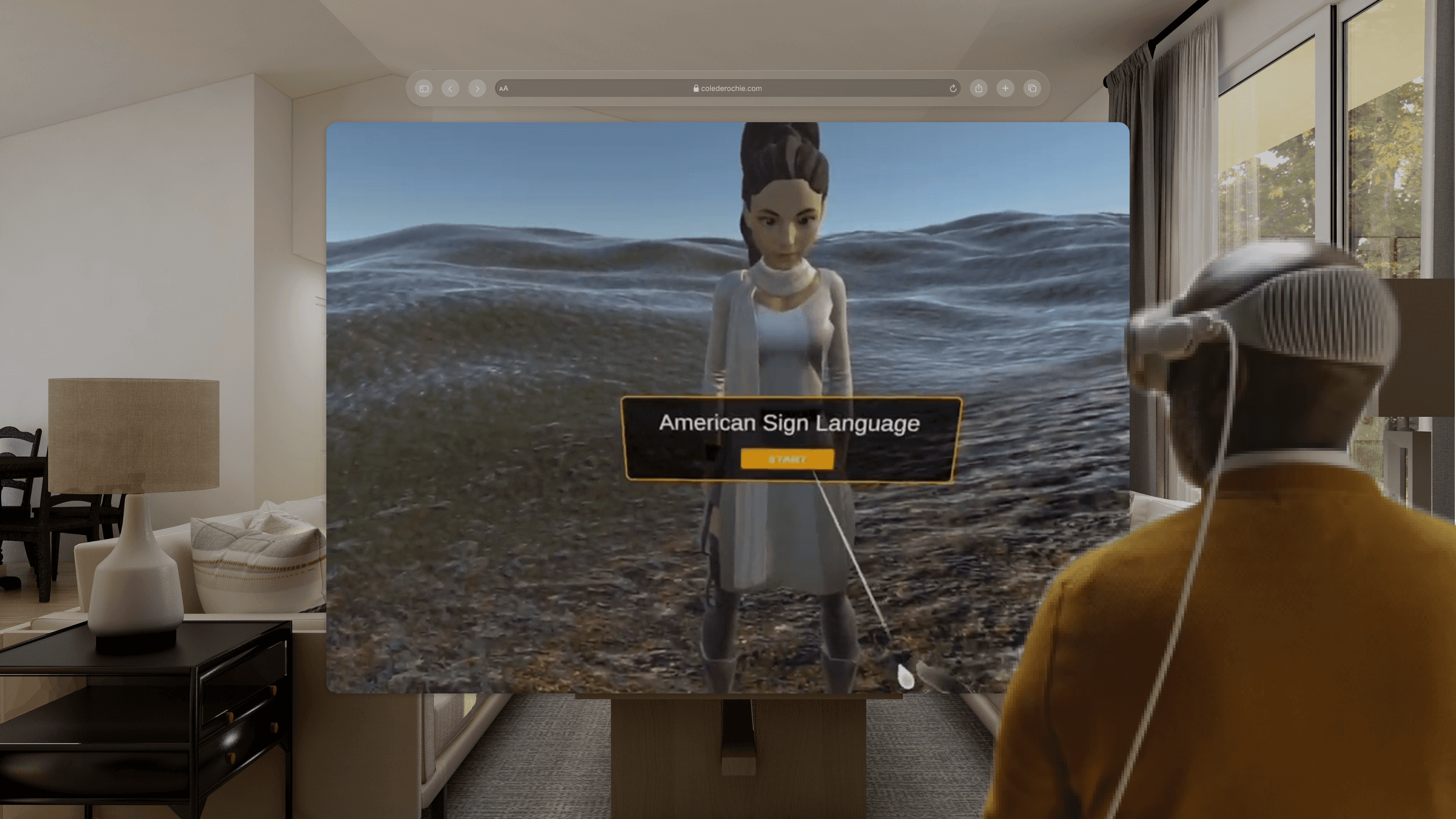
ASL-Guided Avatar with Real-Time Subtitles
An avatar demonstrates ASL with synchronized subtitles, enabling users to understand both gesture and meaning at once.
Interactive Response Selection with Guided Hand Matching
Users select a response and physically align their hand with a guided overlay, turning passive learning into active, embodied practice.
Practice Completion & Closing Screen
Once alignment is achieved, the experience concludes with a clear confirmation screen that reinforces progress and completion.
LET'S START BUILDING THE SOLUTION!
Research
While interest in learning ASL is growing—especially among hearing individuals and college students—sustained engagement remains low. To better understand this gap, I conducted lightweight interviews with three user groups:
An ASL learner
An ASL instructor
A hearing individual with a Deaf family member
72%
struggle to maintain consistent ASL practice
67%
Lack opportunities for real-time interaction
78%
Want more interactive learning experiences
Insight
ASL is not difficult to learn because of a lack of interest, but because learners lack accessible, continuous environments for real-time, interactive practice.
1. High Interest, Low Retention
- Many learners start ASL out of curiosity or personal motivation, but often drop off after the beginner stage due to lack of consistent practice opportunities.
2. Partner-Dependent Learning Structure
- ASL practice heavily relies on having a partner, making it difficult for learners to practice regularly on their own.
3. Gap Between Memorization and Communication
While users can memorize basic signs, they struggle to apply them in real-time conversations, limiting their confidence and fluency.
HMW Question
How might we support real-time ASL practice through conversations with an avatar?
Target Audience
Self-motivated ASL learners who want to practice independently without relying on a partner
Design Journey
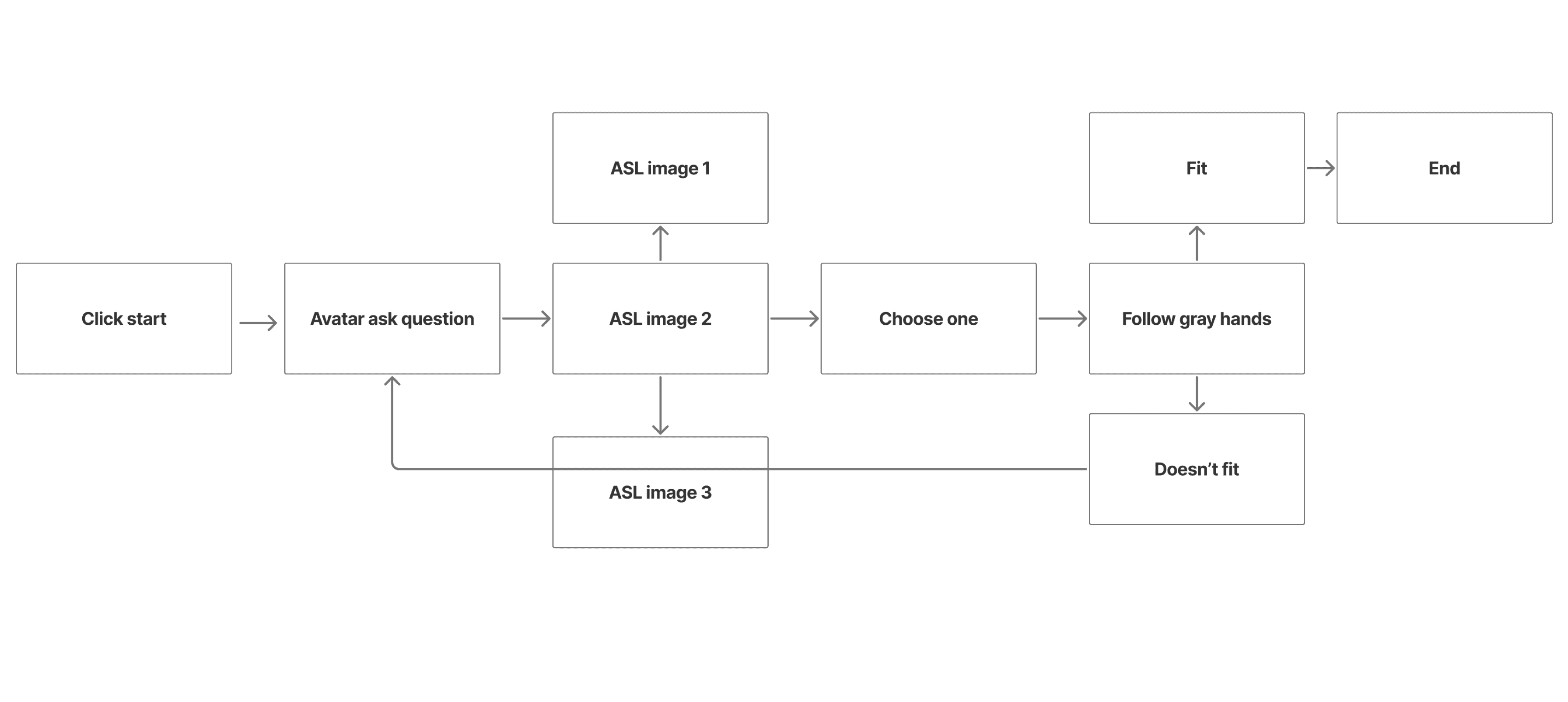
User Flow
Before creating wireframes, I mapped out a streamlined user flow to reduce drop-off while providing clear visibility into each step of the return and delivery process.
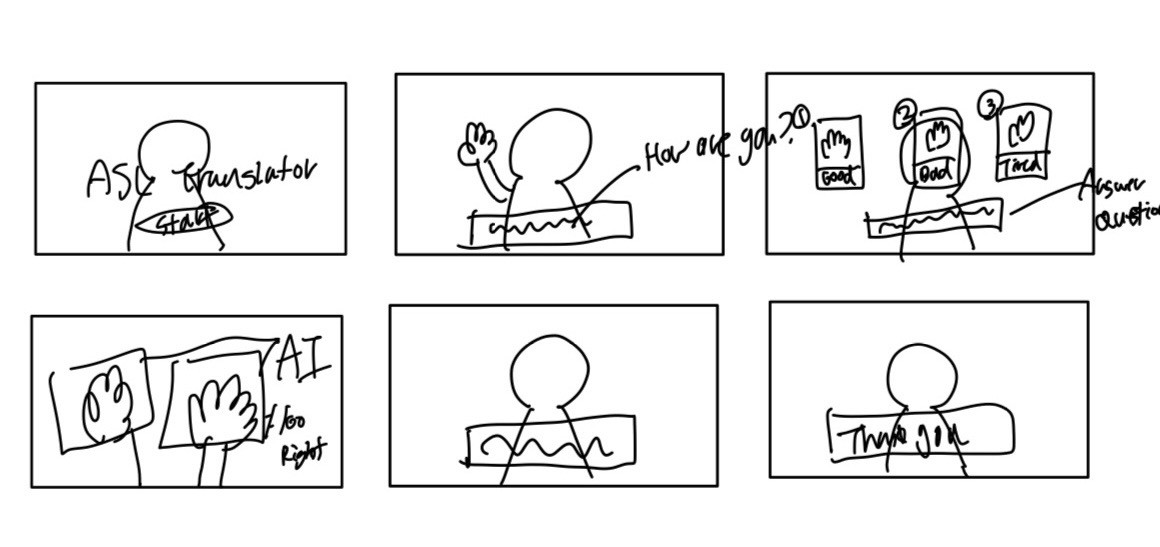
Crazy Eight
Through Crazy Eights, I explored how users interact with an avatar and mapped potential screens, including an AI-based system to recognize and validate user's ASL gestures
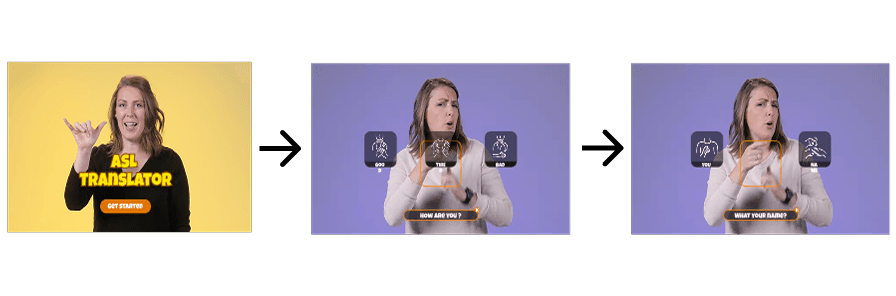
Wireframe & Interaction UI Design
Refining the sketches, I defined the interaction flow where users perform ASL gestures and proceed to the next screen once their hand position is correctly recognized.
Trade-off & Decision
Due to time constraints, I simplified AI-based gesture recognition into a hand-alignment interaction, where users match their hand to a grey overlay to proceed.
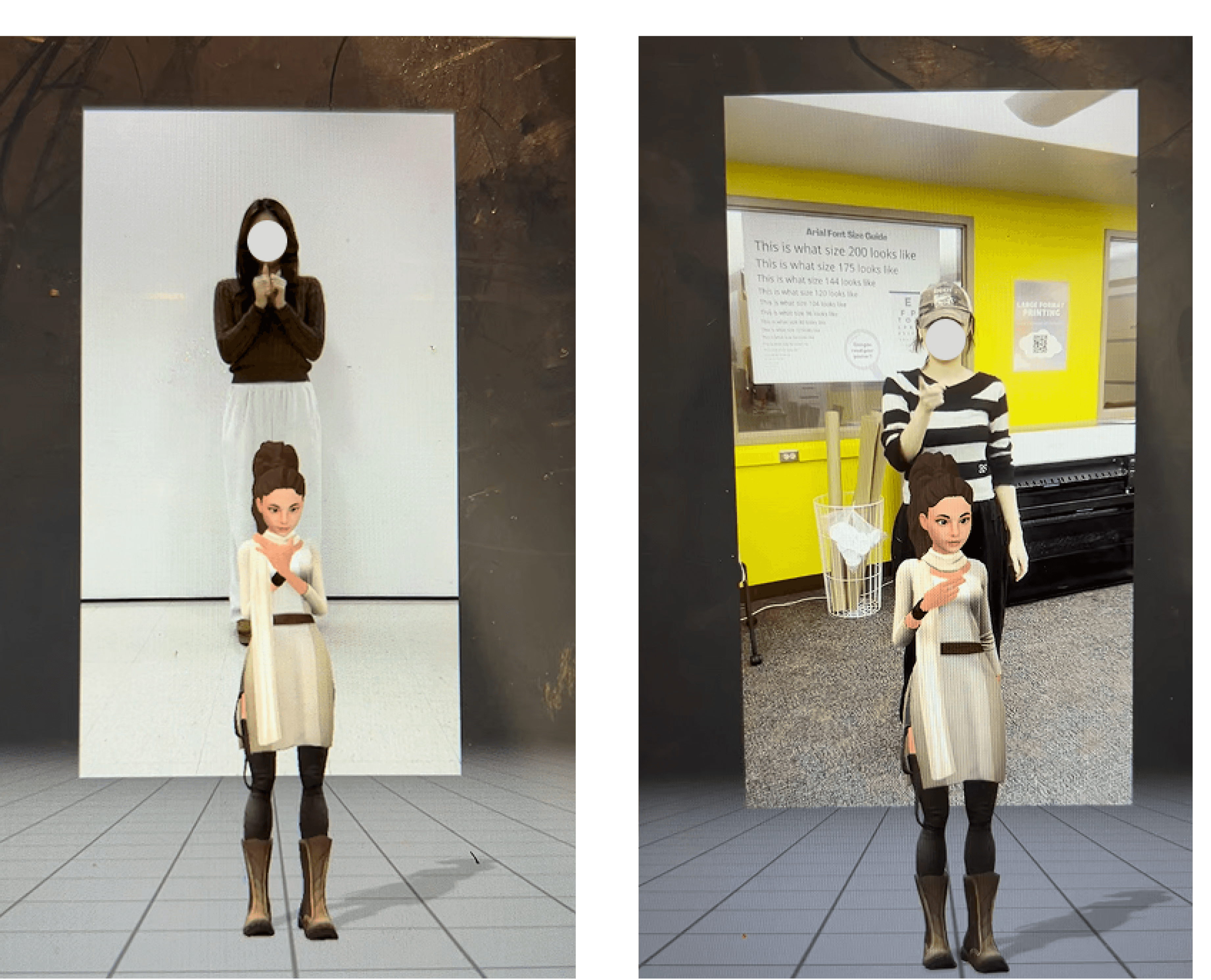
Motion Capture with DeepMotion
Using DeepMotion’s AI-powered motion capture, I captured my ASL gestures and animated a virtual avatar with the recorded movements.
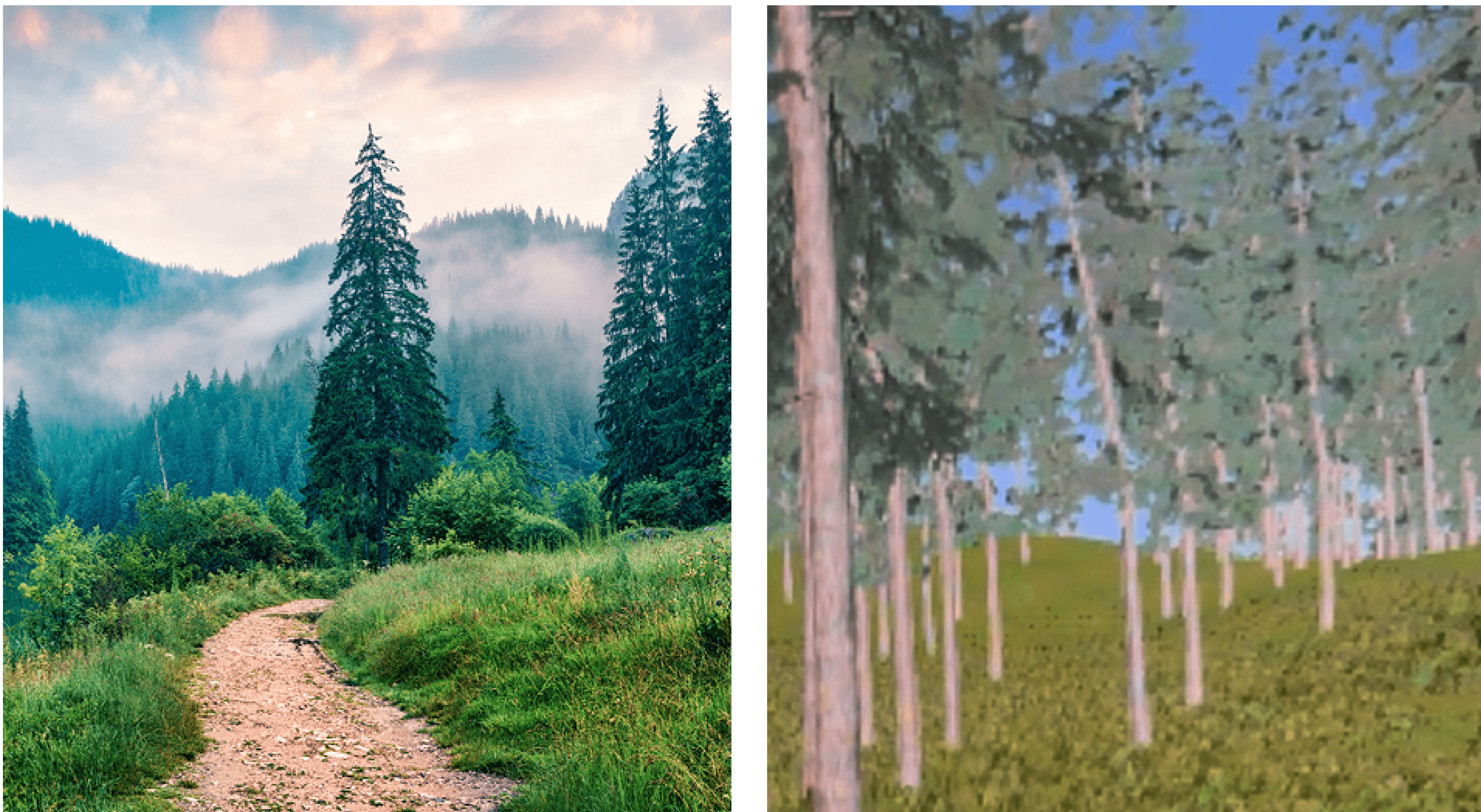
Background Design with Unity
Using DeepMotion’s AI-powered motion capture, I captured my ASL gestures and animated a virtual avatar with the recorded movements.
System Implementation
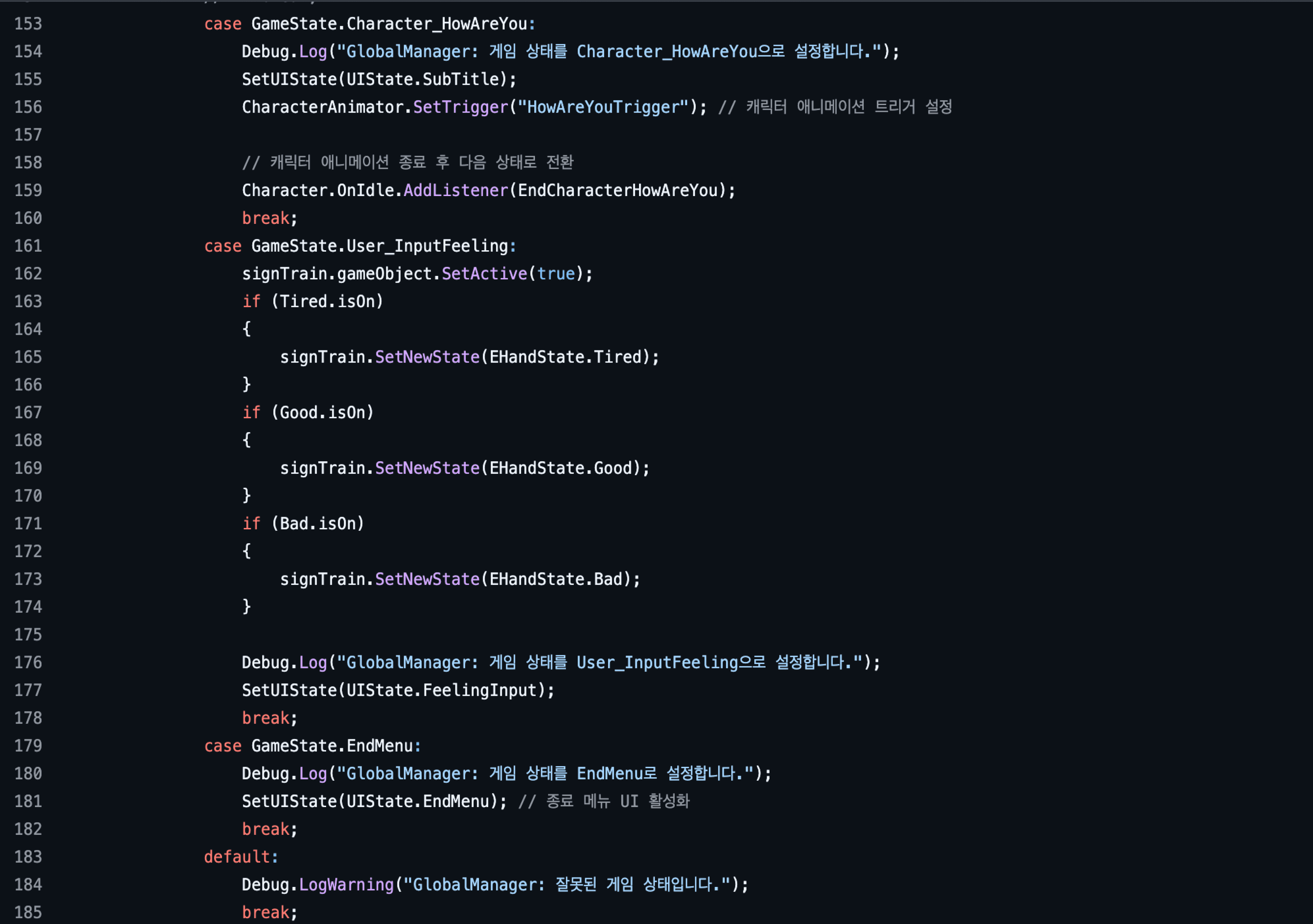
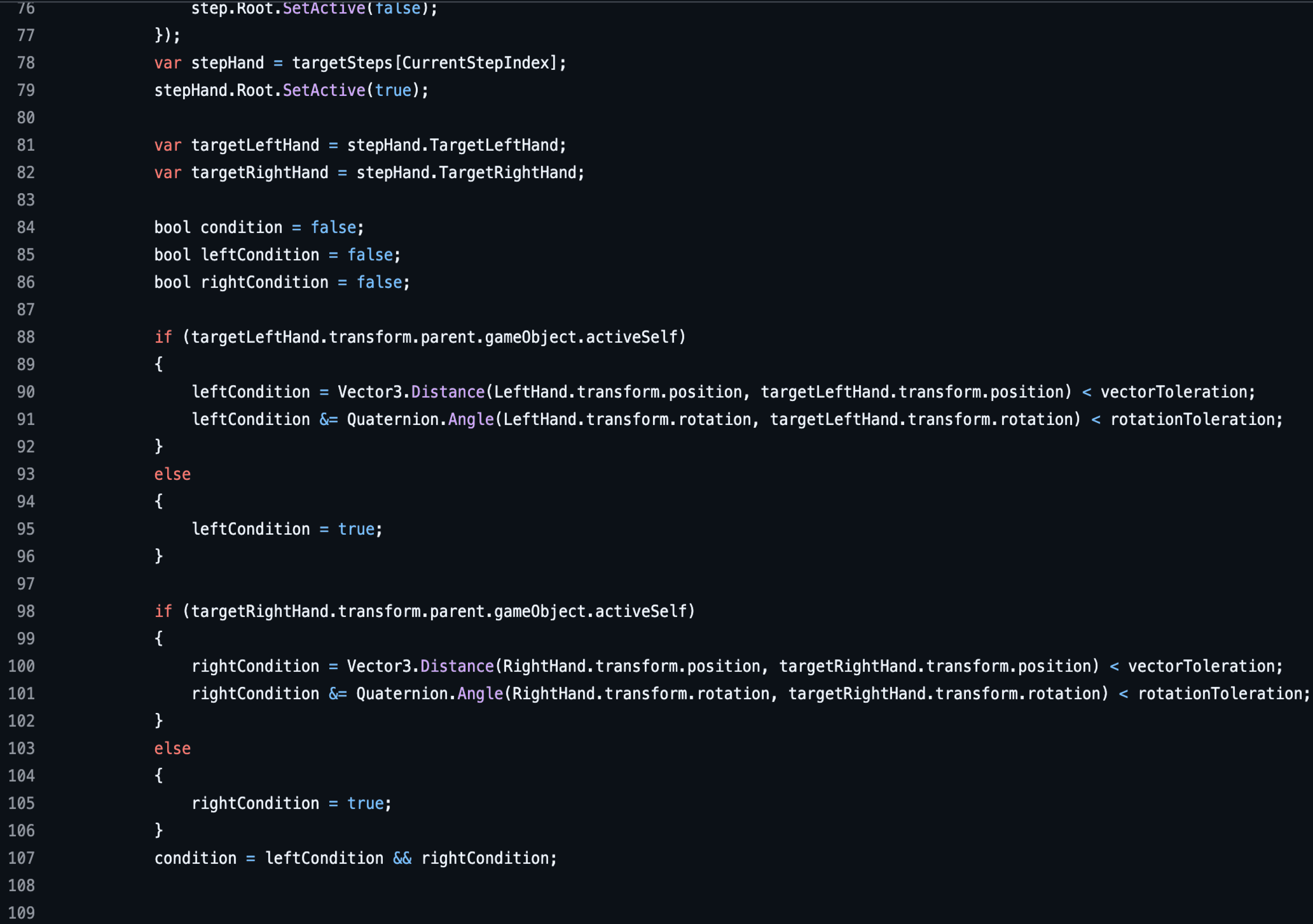
To improve accuracy, I introduced a cursor-based system that displays a guided signing hand on screen. This allows users to align their own hands in real time, enabling more precise and embodied learning.
Pose Matching Logic: Validates hand position and rotation to determine correct ASL gestures and control step progression.
State-Based Experience Flow: Manages transitions between avatar interactions, user input stages, and UI states throughout the experience.
Takeaway
By developing this independent VR learning experience, I engaged with coding and motion-capture technologies that were entirely new to me.
The project required sustained experimentation and reflection, pushing me to navigate technical challenges while translating accessibility barriers into an immersive, self-directed learning environment. This process strengthened my ability to approach complex problems thoughtfully and reinforced the idea that immersive technology can be designed to support inclusive learning.
Yerin Jang © 2026. Yerin Jang. All rights reserved.